
How it works
From a trip idea to a plan you can follow.
Add what you know. See what the trip may cost. Bring the bookings together and keep track of what still needs attention. Then use the same plan while you travel.
How it works
Add what you know. Build the rest at your pace.
Your dates, destinations, budget and bookings. You can start with an outline and fill in the detail later.
Estimate likely costs, build the route, track spending, spot gaps and bring bookings together in one place. Ask Travel Oracle for help with your trip.
A live trip plan, booking records, budget tracking, Daily Schedule, offline trip details and a Travel Pack you can download or share.
Step 01
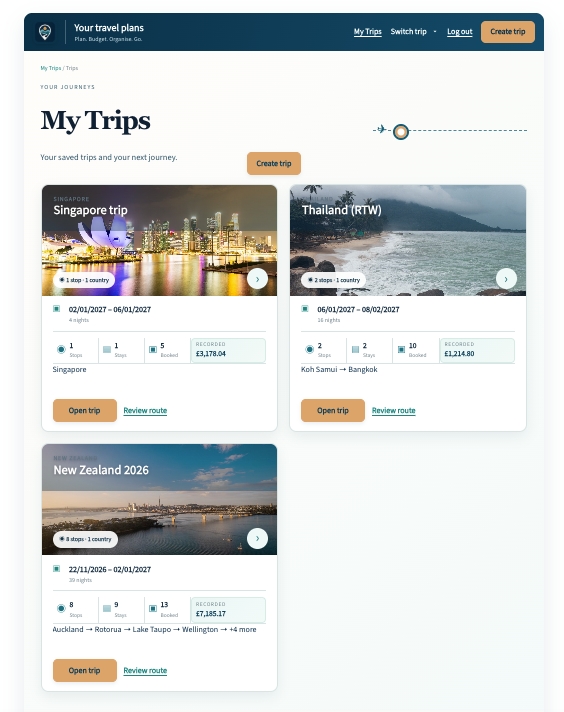
Start with the trip basics
Add your dates, number of travellers, planning currency and overall budget if you have one. Start here points you towards the next useful step.
Step 02
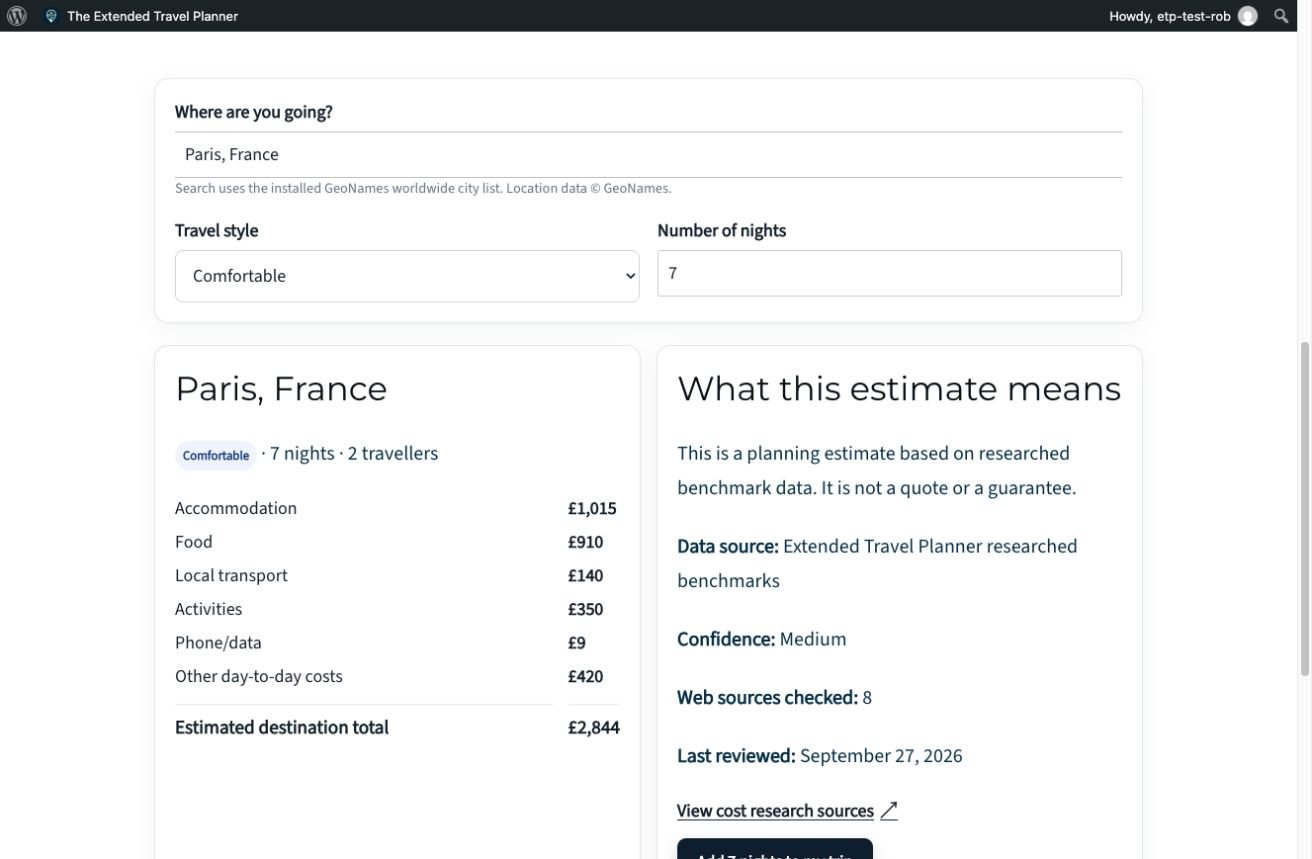
Compare destinations and likely costs
Choose destinations and travel style. Use research-based estimates to help set realistic expectations before you book.
How Much Will It Cost?
Use the estimate as a planning guide, not a live quote. Check current prices with providers before booking.
Step 03
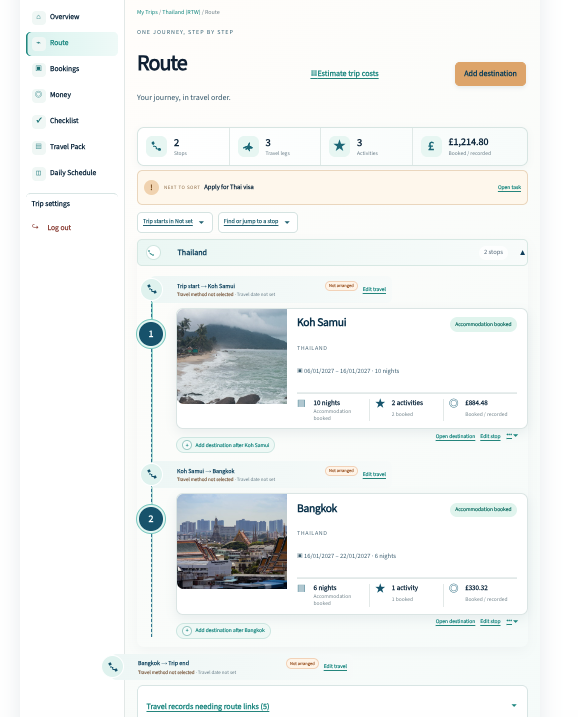
Build your route
Add your destinations, arrival dates and nights in order. ETP helps you see how the trip fits together and highlights missing accommodation or onward travel.
Step 04
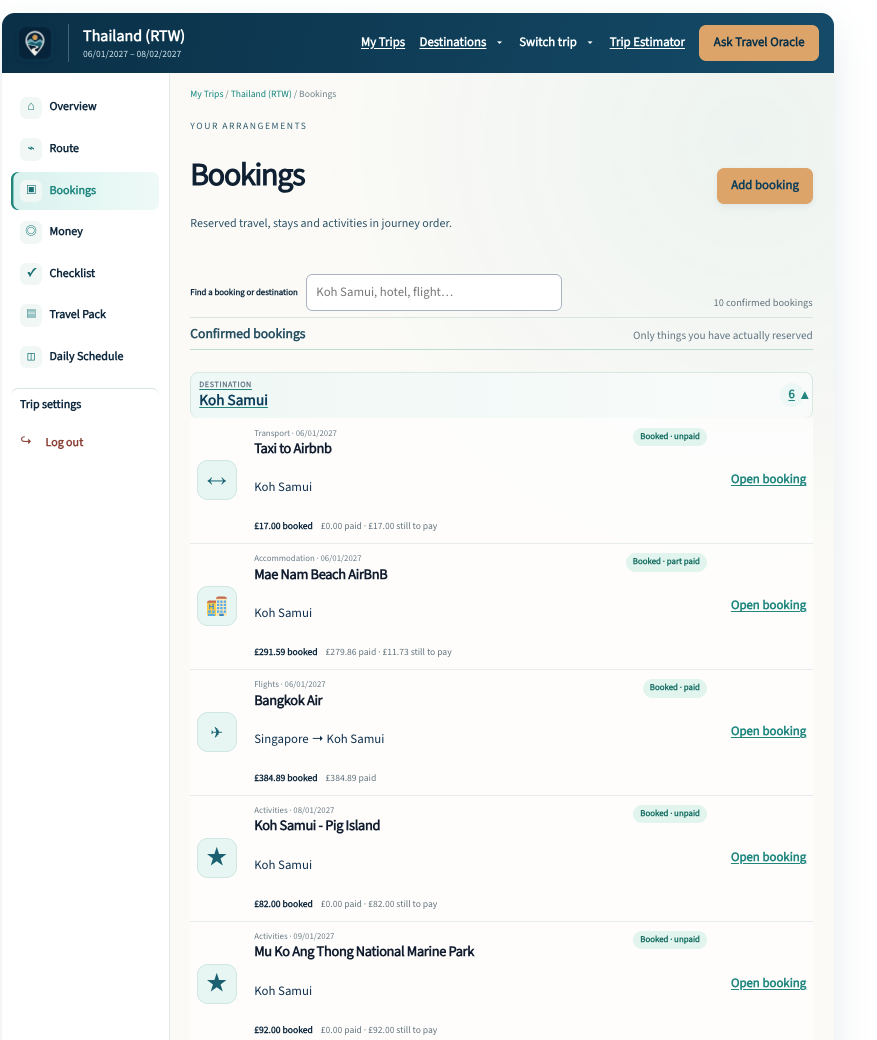
Add your bookings and track the real cost
Add accommodation, flights, trains, buses, transfers, car hire, cruises, activities and restaurant reservations.
Link bookings to the relevant part of your route and record dates, times, providers, costs, payments and balances.
Bookings can be recorded in the currency you actually pay while your trip stays organised in your planning currency.
Step 05
See what still needs attention
Use Trip Check and Checklist to spot missing bookings, gaps in your route, unpaid balances and unfinished planning tasks.
- Accommodation or arrival transport missing
- Booking balance due
- Short stay worth reviewing
- Planning task overdue
Review suggestions and decide what, if anything, you want to change.
Trip Check
A second pair of eyes on your trip
Trip Check highlights details that may need attention. You can review a suggestion and keep the trip as planned.
Travel Oracle
From advice to action. With your approval.
Travel Oracle understands the trip you are already planning. Ask about your route, budget, bookings, activities or practical travel questions.
If Travel Oracle suggests a change, you review it before anything is applied to your trip.
Travel Oracle can help with your plan, but it does not book or cancel travel for you.
Daily Schedule
Know what is happening each day
Daily Schedule brings together transport, hotel check-in and check-out, activities, restaurant reservations and other timed plans in the order they happen.
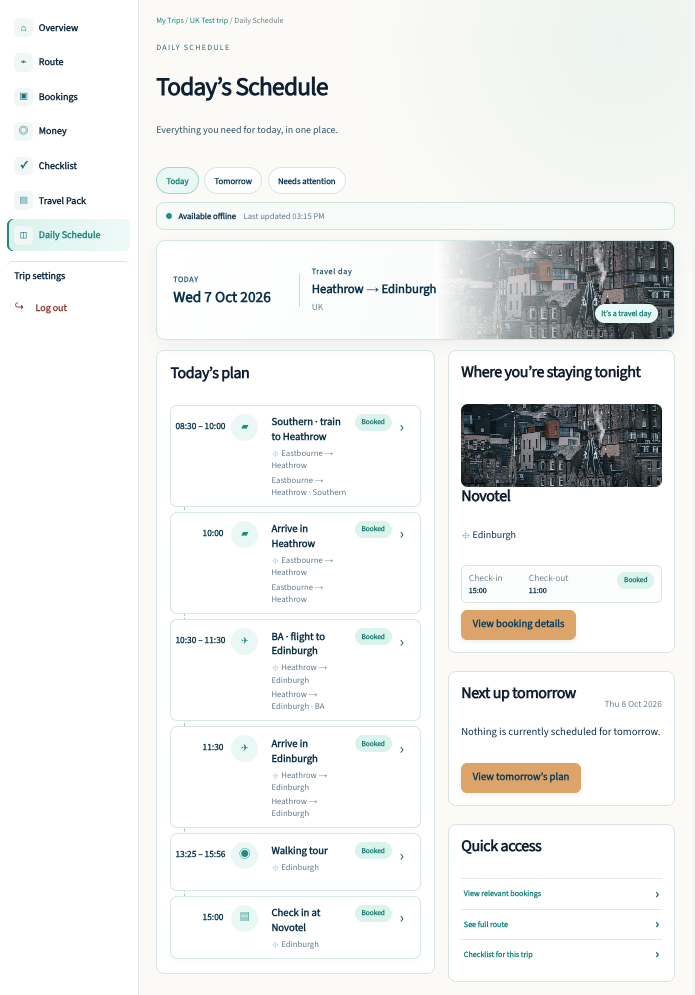
Available while you travel
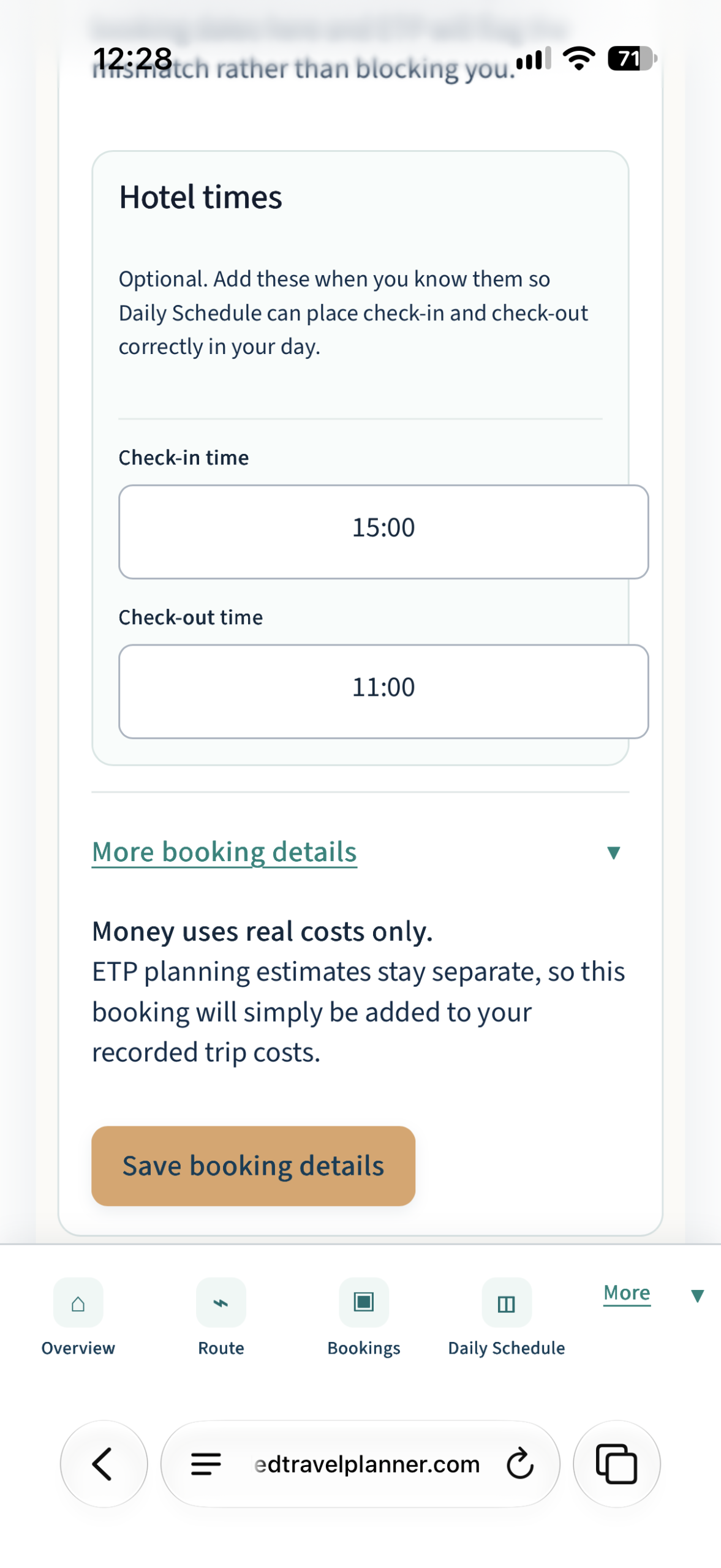
Keep key trip details available offline
Save important trip and booking information to your phone so you can still check dates, times, providers and booking details when you do not have reliable internet.
Final step · Take your plan with you
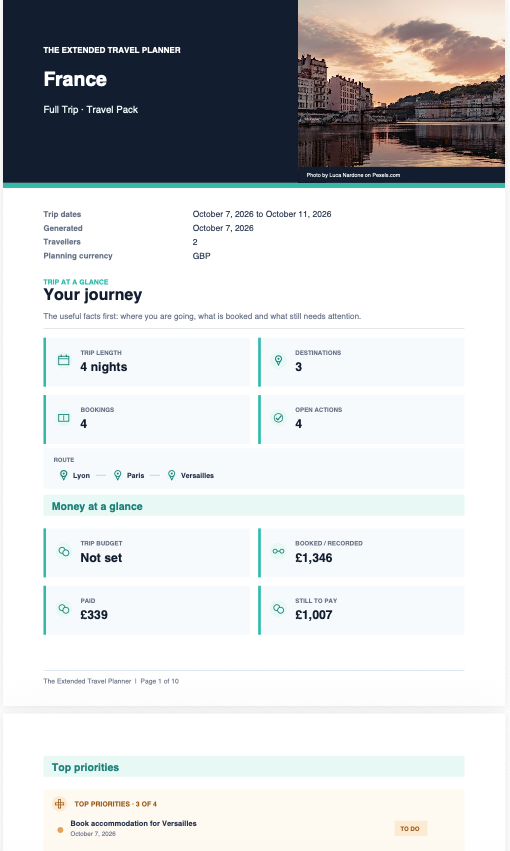
The useful details, ready to download.
Generate a Travel Pack with your route, bookings, payment status, outstanding actions and useful destination information.
Keep it as a backup, print it, or share it with someone at home.
One place for the whole trip.

Plan. Budget. Organise. Go.
A practical travel companion
from James & Rob.